
WooCommerce extension · card-testing defense
Ban abusive IPs before they burn out your payment gateway.
IP Shield gives store operators what fraud-score dashboards don't: a one-click ban button on every order, an automatic velocity rule that jails card-testers on its own, and a full audit trail, with two deployment modes so it works on a $5 shared host or your own hardened EC2 box.
GPL-2.0 · WordPress 6.0+ · WooCommerce 7.0+ · PHP 7.4+ · No external services, no API keys, no per-order fees.

- Fail-closed IP validation
- Dry-run by default
- Classic + block checkout
- Nonce + capability checked
- Zero JavaScript on checkout
- Full audit trail
The problem
Card-testing doesn't look like fraud. It looks like orders.
A stolen-card operation sends dozens of small orders from one datacenter IP. Each one costs you gateway fees, disputes, and merchant-account reputation, and your fraud-score dashboard hands you forty numbers to interpret while it happens.
IP Shield is the response tool: when you can see the abuse on the orders screen, the IP should be gone in one click, with a record of what happened. And when it happens at 3 a.m., the velocity rule handles it without you.
Starts safe
Dry-run by default
Fresh installs start in Easy Mode with dry-run ON, activating the plugin never enforces anything until you say so. The velocity rule also ships in dry-run, so you see what it would ban before arming it.
What it does
IP Shield, feature by feature.
One-click ban from the order screen
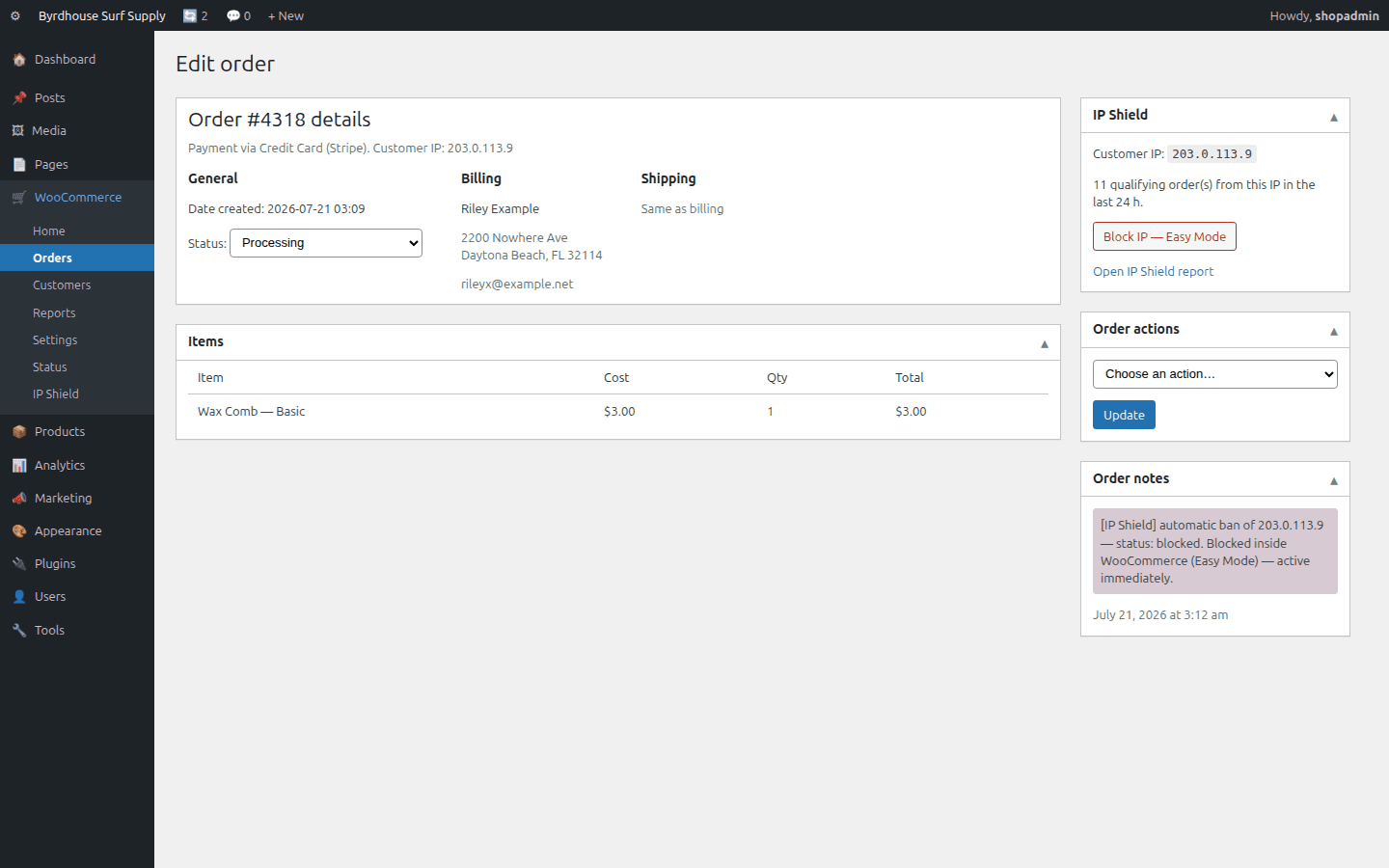
An IP Shield box on every order shows the customer IP, its ban state and its recent order velocity. One nonce-protected click bans it, with a confirm step and an order note for the record.
Automatic velocity banning
“N qualifying orders from one IP inside Y hours”, you pick the threshold, window and which order statuses count. Per-order dedupe, per-IP cooldown and an already-banned check keep it precise.
Easy Mode: works on any hosting
Banned IPs are refused inside WooCommerce itself, classic checkout, block (Store API) checkout, optionally add-to-cart or the whole store. Shared hosting, Windows, containers: no server access needed.
Full Mode: firewall-grade bans
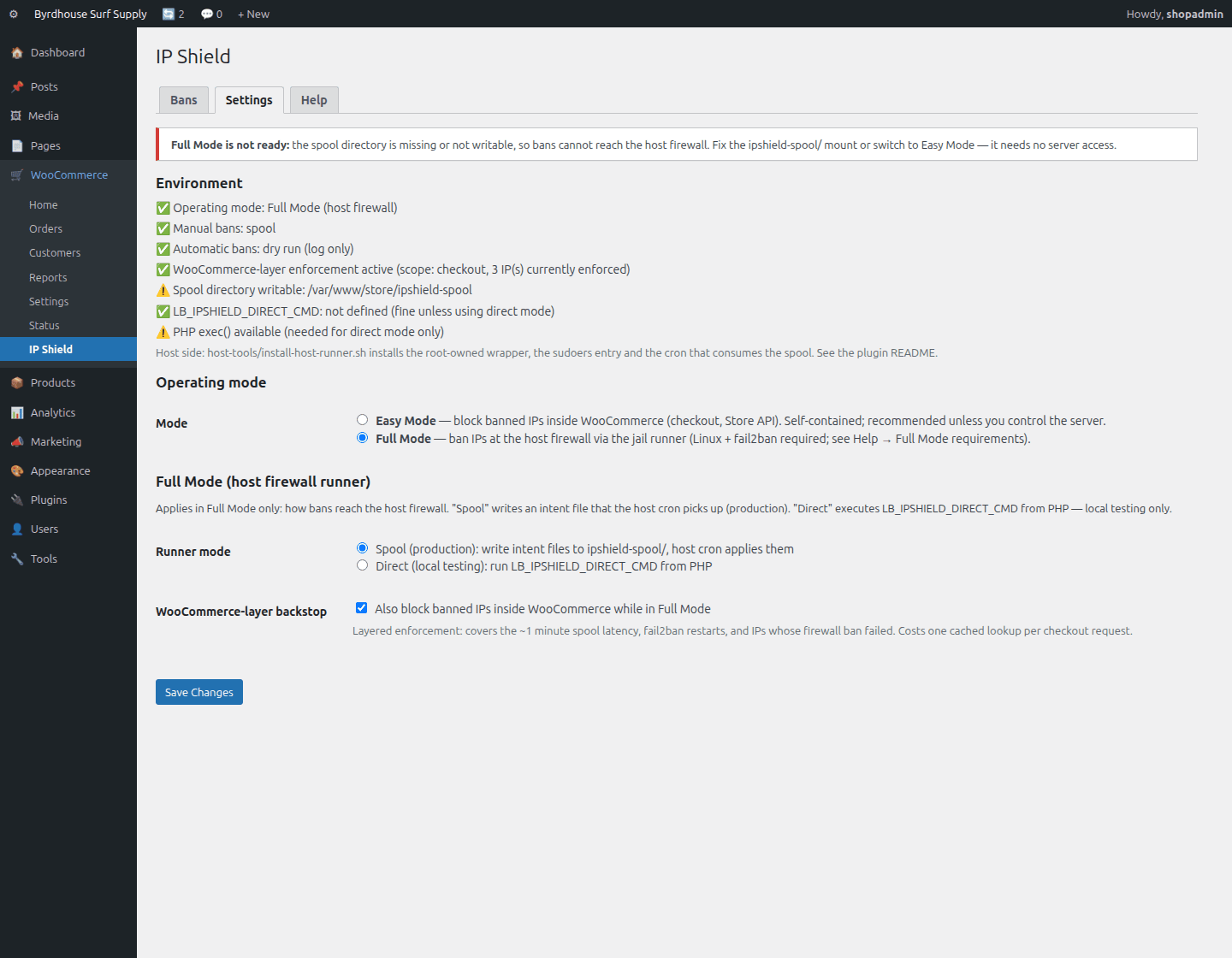
On a Linux host you control, bans land in fail2ban, the IP can't reach your web server at all. Shipped host tooling installs the root wrapper, sudoers entry and spool cron, then self-tests.
Reporting & audit trail
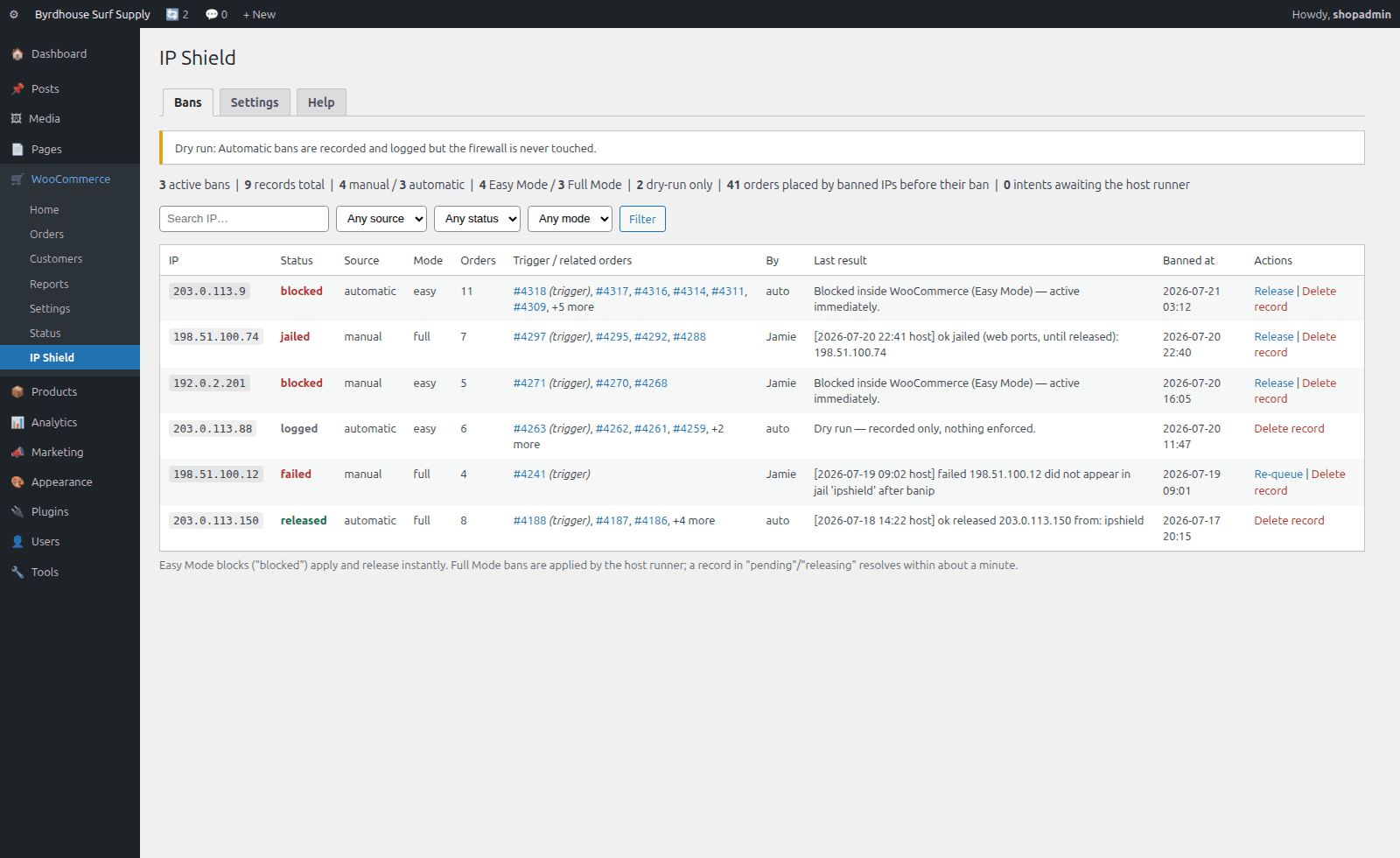
Every ban records IP, manual/automatic source, easy/full mode, operator, trigger order, related orders and the exact enforcement result, searchable, filterable, releasable, re-queueable.
Lightweight & fail-safe
One cached lookup on checkout, zero external calls, no cron storms. Dry-run is the default: activating the plugin never enforces anything until you say so. Invalid or private IPs are refused everywhere.
Two modes. One explicit switch.
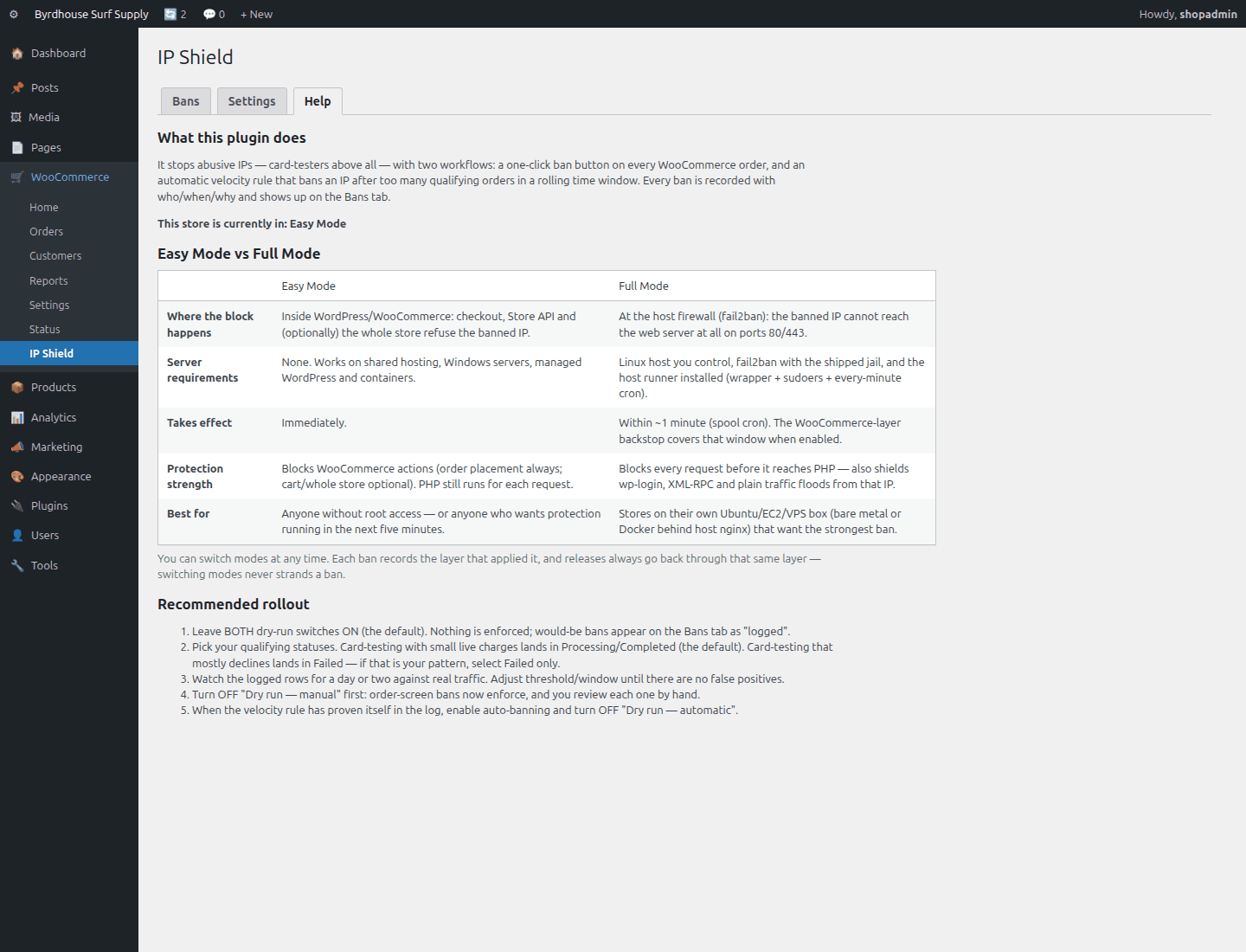
Same workflows, same reporting, the mode only changes where enforcement happens. Switch anytime; every ban remembers which layer applied it.
| Easy Mode | Full Mode | |
|---|---|---|
| Enforcement layer | Inside WooCommerce | Host firewall (fail2ban) |
| Server requirements | None, any hosting | Linux host with root access |
| Ban latency | Immediate | Within a minute (spool cron) |
| Non-shop traffic | Still reaches the site | Blocked at the firewall |
| Behind a CDN | Works if real IP is forwarded | Don't firewall-ban CDN IPs |
| Setup time | Activate and go | Guided host-tooling install + self-test |
| Best for | Shared/managed hosting, quick protection | Your own box, bursts that are also load |
See it in wp-admin
Real screens, no mockup gloss.
Rendered straight from the plugin's own admin UI in a local environment, what you install is what you see.
Inside wp-admin
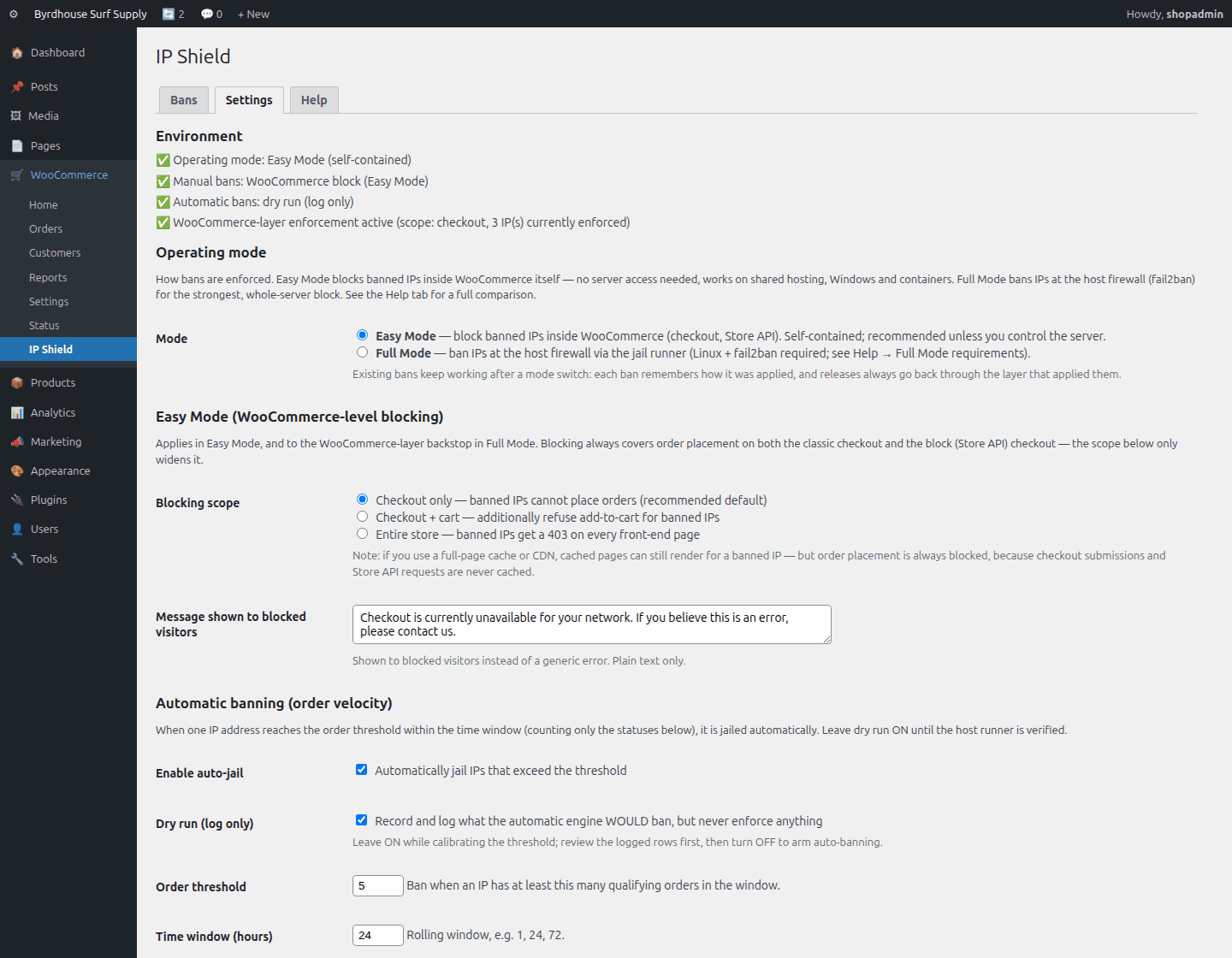
Settings, operating mode
The explicit Easy/Full switch, Easy Mode scope and the blocked-visitor message.
Inside wp-admin
Order screen
Customer IP, velocity context, ban state and the one-click ban button.
Where it fits
Honest comparisons, category by category.
No named-competitor trash talk, just what each category of tool is good at, and where this plugin earns its keep.
vs. fraud-scoring plugins
Two different jobs. Scoring suites judge orders, probabilistic risk numbers, good against one-off fraud. IP Shield removes sources, deterministic: banned IP, no orders.
- During a burst you don't need forty scores, you need the faucet off.
- Most stores that survive an incident want both layers.
- They don't conflict, scoring judges, Shield removes.
vs. manual server blocking
Hand-run fail2ban-client works only when someone with root is awake, away from the evidence, with no record. IP Shield keeps the same firewall power but puts the button on the order screen.
- Shop managers act without shell access; every ban is audited.
- The velocity rule covers the 3 a.m. problem.
- Hand-blocking is still right for subnets, ASNs, countries, and WP-down emergencies.
Easy vs. Full Mode
Same workflows and reporting, the mode only changes where enforcement happens: inside WordPress, or at the host firewall.
- Easy Mode if you don't have root, or want protection today.
- Full Mode if you run your own box and the burst is also server load.
- Keep the WooCommerce backstop ON even in Full Mode.
Pricing
One price, everything included.
No tiers of crippled features, the single-site license is the whole plugin.
IP Shield, single site
One year of updates and support. Keeps working if you don't renew.
- One-click ban from the order screen
- Automatic velocity banning
- Easy Mode: works on any hosting
- Full Mode: firewall-grade bans
- Dry-run by default
- Manual + help tab inside wp-admin
The Storm Kit
Pulse + IP Shield + Coupon Fence, save $38 vs. buying separately.
- All three paid plugins, one license
- Every WooCommerce plugin we ship next, included
- Same 60-day no-quibble guarantee
- Priority answers from the developers
How buying works today: secure online checkout is coming soon. Until it lands, click Buy and tell us which plugin you want, we deliver the plugin zip and an invoice by email within one business day, covered by the same 60-day guarantee.
60-day money-back guarantee
Full refund within 60 days of purchase. No questions, no forms, no hard feelings. If a plugin isn’t the right fit for your store, you shouldn’t pay for it.
The manual lives inside the plugin.
Every install ships a full Help tab in wp-admin, plus these guides in the package:
- Install
- Configuration
- Usage
- Easy Mode
- Full Mode
- fail2ban setup
- Docker
- Shared hosting & Windows
- Troubleshooting
- FAQ
- Changelog
- Version
- 1.1.0
- Requires
- WordPress 6.0+ · WooCommerce 7.0+ · PHP 7.4+
- Tested up to
- WooCommerce 8.2 · HPOS compatible
- License
- GPL-2.0-or-later · your data stays on your site
Security posture: we build defensive tools, so we hold ourselves to the same bar, no external calls, capability and nonce checks on every admin action, and a direct line for reports at security@lightningbyrd.com. Reports get a human answer within one business day.
FAQ
Straight answers.
Does Easy Mode really work without any server access?
Yes. It enforces entirely inside WordPress, checkout, Store API (403), optionally cart or site-wide. Shared hosting, managed WordPress, Windows, containers: all fine.
Will it block the new block-based checkout?
Yes. Both stacks are covered, it also hooks the Store API checkout route that block checkout uses.
What happens if I ban my own IP?
At the WooCommerce layer you can't lock yourself out, staff are never blocked. Full Mode covers web ports only, and the docs use TEST-NET addresses for smoke tests.
Can the velocity rule ban a legitimate customer?
It counts only the order statuses you choose, inside your window, and it ships with dry-run ON so you watch what it would ban against real traffic first. Every ban is one-click releasable.
I'm behind Cloudflare or a reverse proxy, does it work?
Easy Mode works if the proxy forwards the real client IP. In Full Mode, don't firewall-ban CDN edge IPs, the docs cover the orange-cloud caveat.
Does it slow checkout down?
No measurable effect. One cached, autoloaded option lookup, no external calls, no front-end JavaScript.
What exactly does Full Mode install on my server?
Three auditable pieces: a root-owned validating wrapper, a one-line sudoers entry, and an every-minute spool cron. PHP never shells out directly.
What about IPv6?
IPv6 addresses aren't banned, on purpose, the jail targets IPv4, and IPv6 orders are skipped loudly rather than silently.
What data does the plugin collect or send?
Nothing leaves your site. Bans are stored in one local table. No telemetry.
More from the flock
The rest of the suite.
Each plugin stands alone, together they cover detection, response, prevention, and upkeep.
 $59/yr
Pulse
Store monitoring
Know the minute your store stops selling. Order-flow anomaly alerts, checkout and Store API health probes, gateway, cron, and mail watchdogs, inside WordPress, no external service.
Learn more → $49/yr
Coupon Fence
Fraud & abuse defense
A firewall for your coupon codes: stop brute-forcing, try-every-code auto-apply behavior, and first-order abuse, with leak-proof signed influencer links.
Learn more → Free
FreeFeatherweight
Performance & maintenance
The WooCommerce-aware database janitor. Scans and safely cleans what generic optimizers miss, Action Scheduler bloat, expired sessions, autoload weight. Free.
Download free →IP Shield
Sleep better by tonight.
Install IP Shield, watch it in dry-run by default against your real traffic, and arm it when you've seen the receipts.